Introduction
Organizations and individuals use Microsoft Outlook to manage email communications; mailbox data is commonly store in OST (Offline Storage Table) files. However, there are times when you might need to convert these OST files to MBOX format, which is widely support by other email clients such as Mozilla Thunderbird, Apple Mail, and others. A JDR OST to MBOX Converter is a specialized tool designed to facilitate this conversion process efficiently and securely.
What is an OST File?
An OST file is a data file used by Microsoft Outlook to store a synchronized copy of mailbox information from an Exchange server or Outlook.com account. It allows users to work offline, and syncs change when a connection is re-established.
What is an MBOX File?
MBOX is a standard mailbox file format used by various email clients to organize and store messages. Unlike OST files, MBOX files are not tie to a specific email ecosystem and are highly portable, making them ideal for migration and backup purposes.
Why Convert OST to MBOX?
- Platform Independence: MBOX files are compatible with a wide range of email clients.
- Data Migration: When switching from Outlook to another email client, converting to MBOX ensures seamless data transfer.
- Backup and Archiving: MBOX files are easy to archive and restore across multiple platforms.
- Corruption Recovery: In cases where Outlook cannot open an OST file, conversion may help recover important emails.
- Batch Conversion: Ability to convert multiple OST files at once.
- Preserves Email Properties: Maintains metadata such as To, From, Subject, Date, and Attachments.
- User-Friendly Interface: Simple and intuitive workflow for both technical and non-technical users.
- Selective Conversion: Option to select specific folders or emails for conversion.
- Data Integrity: Ensures no data loss or corruption during the conversion process.
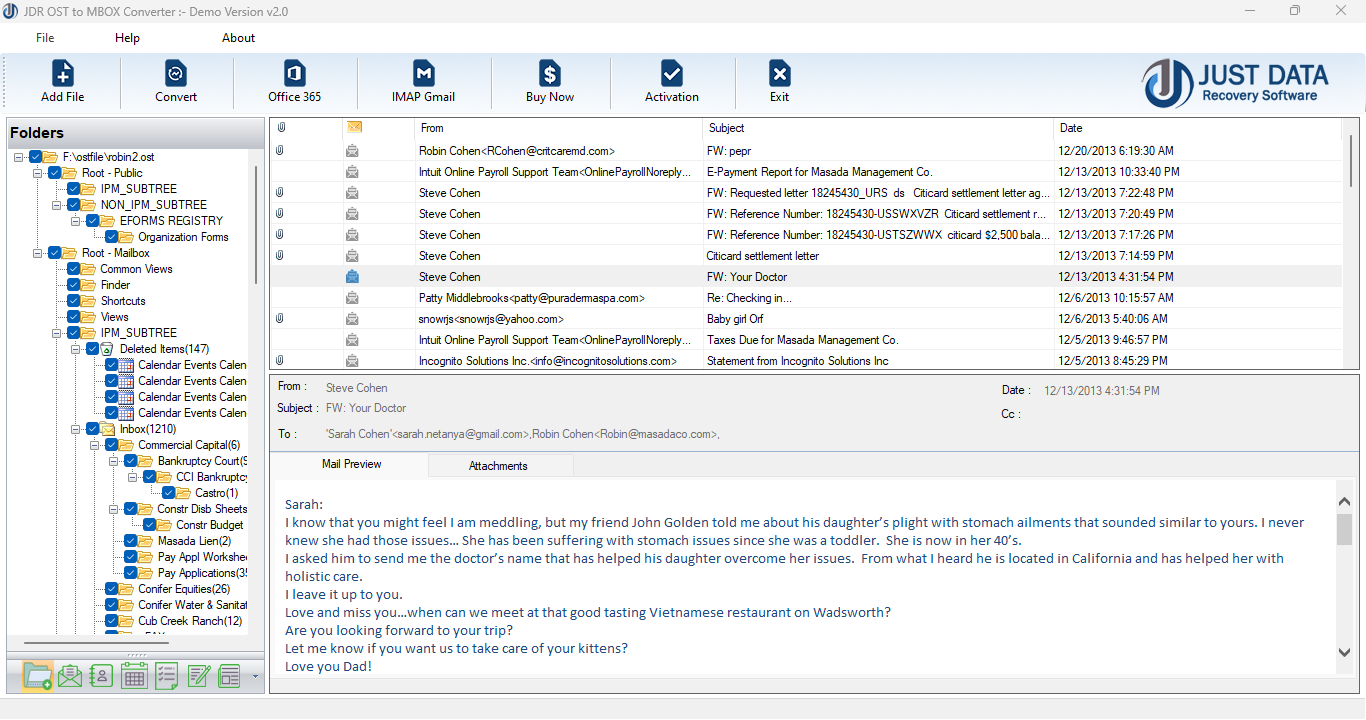
- Preview Option: Lets users preview email content before conversion.
- Download and Install: Obtain the converter software from a reliable source and install it on your computer.
- Add OST Files: Launch the software and select the OST files you wish to convert.
- Choose Output Format: Select MBOX as the desired output format.
- Select Conversion Options: Specify folders, filters, or date ranges if needed.
- Start Conversion: Initiate the process and wait for completion.
- Access MBOX Files: Once done, locate the converted MBOX files and import them into your preferred email client.
Conclusion
A JDR OST to MBOX Converter is an essential tool for users and organizations looking to migrate, back up, or recover email data from Outlook OST files to the widely supported MBOX format. By ensuring data integrity and offering a user-friendly experience, such converters streamline email management across different platforms.
*try to Free Download enables you to preview & converted file and save 30 items per folder.





0 Comments