
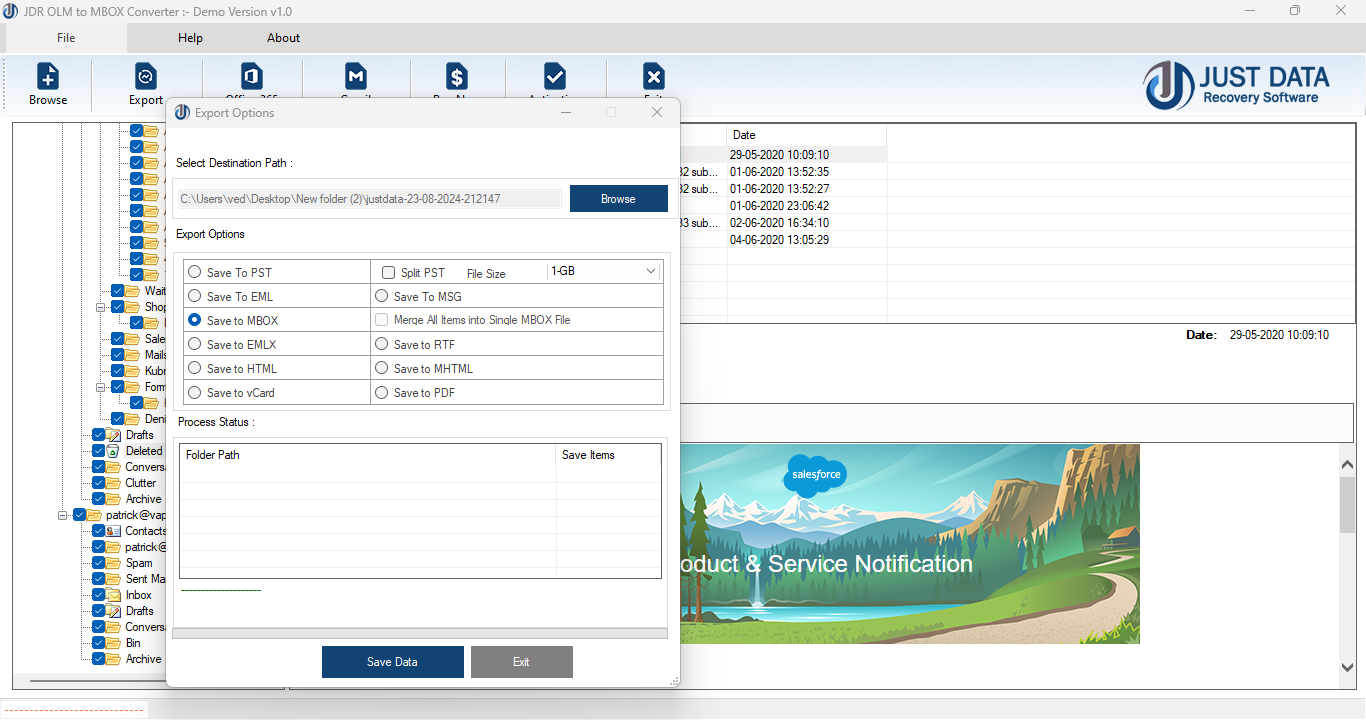
If you are looking to migrate your email data from Microsoft Outlook for Mac (OLM files) to an email client that uses the MBOX format (such as Mozilla Thunderbird, Apple Mail, or others), you will need a reliable OLM to MBOX converter. This guide provides an overview of what OLM and MBOX formats are, why you might need to convert between them, and how to perform the conversion.
OLM (Outlook for Mac Data File) is a proprietary file format used by Microsoft Outlook for Mac to store emails, contacts, calendar events, notes, and other mailbox data. These files are not natively supported by most other email clients outside of Outlook for Mac.
MBOX is a widely used mailbox file format that stores email messages in a single text file. Many popular email clients, such as Mozilla Thunderbird, Apple Mail, and others, use the MBOX format for importing and exporting emails.
Since OLM and MBOX are different formats, you cannot simply rename the file extension. You need to use a specialized tool or follow a multi-step process. Here are the common methods:
There are several third-party software solutions available that can automate the conversion process. Some popular options include:
These tools typically allow you to select your OLM file, choose the output format (MBOX), and then perform the conversion with minimal technical knowledge required.
If you prefer not to use third-party tools, you can use an indirect approach:
Converting OLM files to MBOX format is a common need when migrating from Outlook for Mac to other email clients. Whether you choose a dedicated converter tool or a manual transfer process, ensure you select the method that best fits your technical comfort and data preservation needs.
*try to Free Download enables you to preview & converted file and save 30 items per folder.




0 Comments