
JDR OLM to MBOX Converter – A Convenient Way to Export Your Emails
Nowadays, there are so many people who wish to
switch to other available email services. If you are using MS Outlook for Mac
and you want to Move Thunderbird, Apple Mail or other email app that used by
MBOX format, you may face problem. Outlook for Mac saves your complete data in
OLM files, that most other email apps can’t open. To solve this problem, you
require a professional tool such as- JDR OLM to MBOX Converter Software that is
powerful application to recover data from OLM File and convert them into MBOX
format along with complete emails and attachments without data loss.
Why Convert OLM to MBOX?
This is a very common question of users that why convert OLM to MBOX? OLM files store your contacts, calendars, emails, events, task, journals, notes, and more from Outlook for Mac. But most email programs use the MBOX format instead, especially on Mac. That is the reason-to convert OLM to MBOX is important if you want to open your Outlook data in these provided apps.
The process is helpful when you are migrating your
email clients or shifting to a new computer and just want to create a backup. A
best OLM to MBOX Mac Converter makes it fast and easy.
What is JDR OLM to MBOX
Converter Software?
The JDR OLM to MBOX Converter Software is an
efficient and easy utility that assists in recovering the data from an OLM file
and helps in converting OLM files into MBOX format. It works effortlessly
without needing special technical skills. Beginners can also work on it without
any trouble. The software provides many features that are provided below: -
Main Features:
·
It allows exporting of all
mailboxes, such as journals, notes, calendars, tasks, notes, and other items
through software support.
·
It easily exports the entire
emails and other data from OLM to MBOX format.
·
Convert Mac Outlook 2021 emails
to MBOX along with all emails and attachments.
·
Allows you to Migrate OLM File to MBOX, MSG, EML, PST, EMLX, PDF, HTML, vCard format.
·
It provides open to create single and separate
MBOX file for each Mac Outlook OLM Folder.
·
It keeps all folder structures as
well as the properties of emails during conversion time.
·
Not impose any size limitation
for OLM to MBOX Conversion and Migration.
·
Preview of all OLM file data
before conversion without loss of data.
Made for Mac Users
Some utilities present here only support Windows, but this JDR OLM to MBOX Converter for Mac is specially fabricated for Mac Systems; therefore, there is no need to get worried if you are using a Windows computer or if you have to install some extra software because this utility also supports both Windows and MAC.This helpful JDR OLM to MBOX Converter software helps save your precious time by completing conversions swiftly, whether it's an individual migrating to a new email application or the IT professional himself assisting another.
STEP 1: Download and Install JDR OLM to MBOX Converter Software and click on next button

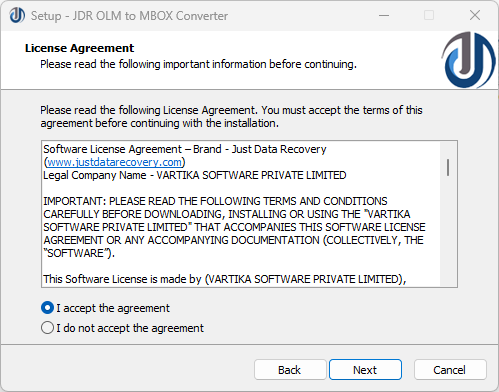
STEP 2: Select option “I accept the agreement” Option and Click on “Next Button”
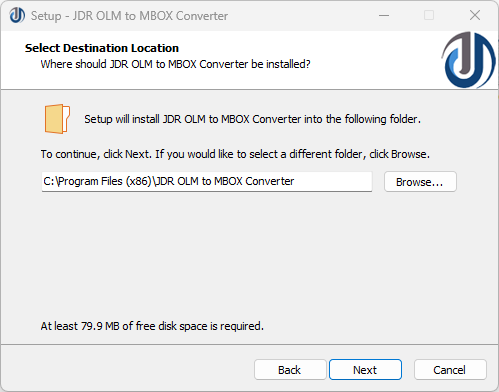
STEP 3: Select Destination Location to Install the Software
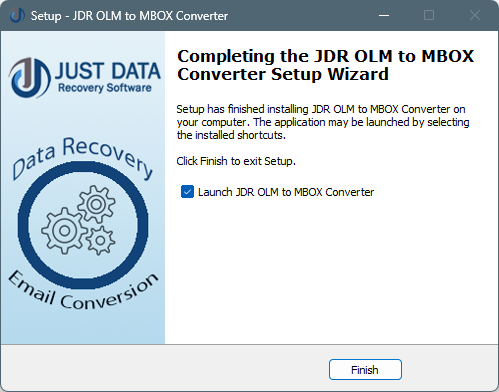
STEP 4: Now Click on “Finish Button”
If you’re looking
for an easy OLM to MBOX for Mac solution, JDR would be the best answer. It makes email conversion without data
loss and data corruption.
If you need a consistent way to recover data from OLM file and convert OLM to MBOX, the JDR OLM to MBOX Converter is a smart choice. It's easy to use, works on Mac, and keeps all your data safe and organized.
*try to Free Download enables you to preview & converted file and save 30 items per folder.




0 Comments