
Introduction
Have you ever faced problems while trying to open old Outlook PST files and tried to find a different format to access your emails? If yes, then you know what I am talking about. For example, if you want to move your mailbox data to another email client or if you want to create accessible backups or manage your old email archives, then PST conversion is required.
Outlook stores your mailbox information in PST (Personal Storage Table) files. It can contain emails, attachments, contacts, calendars, etc. Outlook is capable of managing PST files, but if you want to convert PST files into other formats like MBOX, EML, MSG, PDF, etc then you might need some additional software.
Most of the users while looking for some solution, find themselves between two options: Free PST converter software and professional PST converter software.
Since free tools are free to use, you might think it's the obvious choice. But is it really suitable for all conversion tasks? Is it really worth paying for professional software?
Let's understand the difference between them and figure out which one is more suitable for your needs.
What is professional PST converter software?
Professional PST converter software is for those users who want more control over the email conversion process. It's for users who want to convert their Outlook PST files into other supported formats without the need for manual processing for each and every email.
For example, if you want to move your email from Outlook to Thunderbird, then you might need to convert your PST files into MBOX format. Or, if you want to store individual emails, then you might prefer EML or MSG files.
So, if you want to simplify such tasks, especially when you have large mailbox archives, then you might use a professional converter.
You might find some useful features like:
Bulk conversion: Instead of converting PST files one by one, you can convert multiple files at a time.
Multiple export formats: Depending on the tool, you can save mailbox data in formats like MBOX, EML, MSG, PDF, HTML, etc.
Selective conversion: You can select which folders or mailbox items you need.
Attachment handling: You can preserve email attachments during conversion.
Folder preservation: If supported, you can maintain the original folder structure of the mailbox.
Email preview: You can preview the contents of the mailbox before starting conversion.
Advanced filtering: You can search and select specific emails with the help of available filters.
These features are especially helpful for businesses, IT professionals or users who frequently work with Outlook data.
What is free PST converter software?
Free PST converter software is usually for users who have basic conversion needs and don't want to buy a paid application.
For example, if you have a small PST file and you just need to convert it into one supported format, then you might find a free tool sufficient.
But not all free converters are the same. Some might provide useful conversion features, while some might have some restrictions.
Depending upon the application, you might find:
It doesn't mean all free converters are unreliable. It just means you should check what features are offered by software before relying on it.
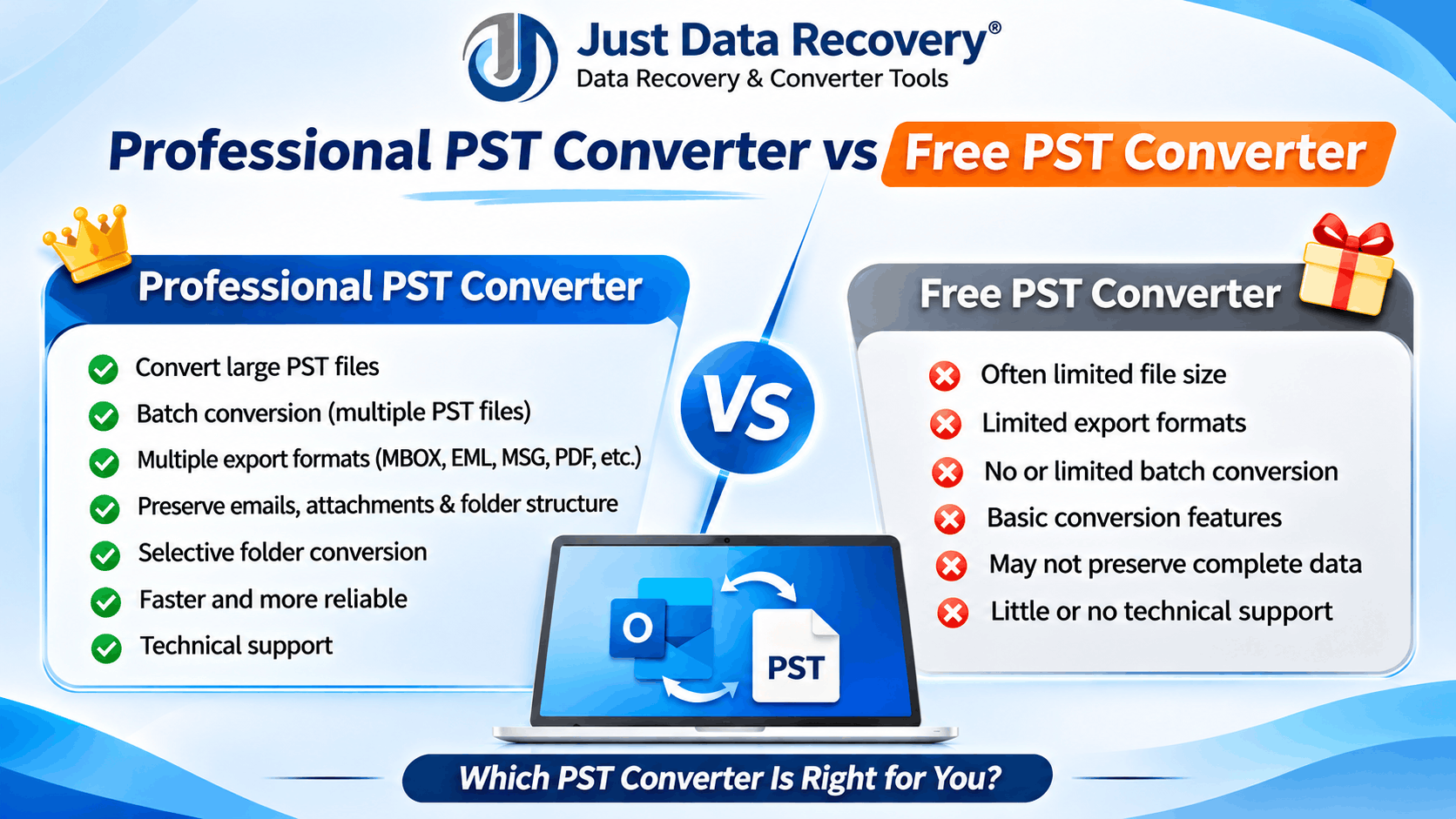
Professional PST Converter vs Free PST Converter: What's the difference?
While both the options can help you with PST conversion, but they can be different in terms of features and intended users.
Feature
Free or trial version
The most important thing is to choose the tool as per your actual needs, instead of assuming that all paid or free applications offer the same features.
Handling large PST files: The size of your PST file can make a big difference when choosing conversion software. For example, if you have a small mailbox with a few hundred emails, then it might not be a big deal. But you may have thousands of emails, large attachments,, and multiple folders in older Outlook archives. Some free converters might struggle with large files or have some conversion restrictions. Often, professional tools are designed for larger conversion workloads. So, if you frequently work with large Outlook archives, then make sure you check the supported file size of the software and test it before purchasing.
Converting multiple PST files at a time: Imagine you have 20 or 30 PST files that you need to convert. It can be time-consuming to process each file individually. So, that's where batch conversion can come in handy. Many professional PST converter applications allow users to add multiple files and process them together. This can save you time, especially if you are an IT administrator or in business and you are working on mailbox migration. Some free tools might only allow you to convert files individually. But it depends on the application. If you have only one PST file, then batch conversion might not be a big deal. But if you have multiple mailbox archives, then it's a feature to consider.
Preserving emails and attachments: One of the biggest concerns while converting emails is losing important information. No one wants to find that an attachment is missing, or that the email folder structure is not maintained properly after the conversion. So, the goal of a good PST converter should be to preserve important information like: Sender and recipient details. Email subject and message content. Date and time information. Original attachments. Folder structure. Supported email properties. You might have more options to manage these details in professional software. But don't assume that a paid application guarantees perfect results. It's always a good idea to convert a few sample emails first and check whether attachments and mailbox structure are maintained properly or not.
Supported export formats: Think about where you want to use your emails after conversion. This is one of the easiest ways to figure out which PST converter you need. Different formats are for different purposes: PST to MBOX: If you are moving email data to compatible applications like Mozilla Thunderbird, then it's useful. PST to EML: If you want to store individual emails as separate files, then it's useful. PST to MSG: If you want to retain individual Outlook message files, then it's useful. PST to PDF: If you need emails in document format for reading, sharing, or record-keeping, then it's useful. PST to HTML: If you want to view supported email content in a web browser, then it's useful. So, make sure the software you are considering supports the format you need before purchasing.
Is your email data safe? PST files can contain more than just regular emails. They can contain business discussions, customer information, financial documents, private attachments, etc. So, it's important to consider security while downloading and using conversion software. Make sure you choose applications from trusted developers. Check their privacy policies. If you are dealing with confidential mailbox data, then you might want to consider whether the software processes files locally or uploads them to an external server. It's also a good idea to keep an untouched backup of your original PST files. So, if something goes wrong during conversion, you can recover the original data.
Is professional software worth the money? Well, it depends on how often you need to convert PST files. If you have only one small mailbox and you need a basic conversion, then it might not be necessary to pay for professional software. But if you frequently convert large PST files, you have multiple mailboxes to deal with, or you need different export formats, then professional software can make the process much easier. You might also want to consider the time you save, available technical support, and additional features before making a purchase decision. Just because a tool is free doesn't mean it's the best option. Similarly, just because software is expensive doesn't mean it's the right choice for everyone.
When should you choose a professional PST converter?
You might want to consider a professional converter if: You frequently convert large Outlook PST files. You have multiple mailbox archives to process. You need batch conversion functionality. You want to export emails into different formats. You need selective folder conversion. You manage email migration for a business. You want access to additional software features and technical support. In these cases, professional software can make the conversion process more convenient to manage.
When is free PST converter enough?
You might find free converter perfectly suitable if: You have only one or two PST files. PST files are relatively small. You need basic conversion. You don't need advanced filtering. You only need one supported export format. The free version meets your needs. There's no need to buy additional features if you don't need them. Frequently Asked Questions
Professional software is generally more suitable for large files, multiple PST conversions, and advanced needs. Free tools can be suitable for simple conversion tasks.
Yes, some dedicated PST converter applications can convert PST files without Microsoft Outlook installed. Make sure you check the system requirements of the application.
It can be safe if you download it from a trustworthy source. Make sure you check the privacy policy, installation requirements, and reputation before using it.
Yes, many professional applications offer batch conversion. It depends on the software and license edition, and how many files are supported.
Many converters support attachment preservation. But you should always check the converted emails to make sure attachments are accessible.
Yes, several PST conversion applications support both PST to MBOX and PST to EML conversion. Make sure you choose the tool that supports the required output format.
Final Thoughts
It doesn't have to be complicated to choose between professional PST converter software and a free PST converter. If you just need to convert a small PST file occasionally, then you might find a free tool capable of doing everything you need. But if you frequently work with large mailbox archives, multiple files, and different export formats, then professional software might be a better investment. Take some time to compare features, check supported formats, and test the conversion process with sample files. The best PST converter is the one that makes your email conversion easier and keeps your important mailbox information accessible.
*try to Free Download enables you to preview & converted file and save 30 items per folder.




0 Comments